![Homecrew: An Open-Source Package Manager For Agent Skills [AI Tinkerers - Post-Training]](https://sloppy-joe-app.imgix.net/ai_tinkerers/logos/post-training_laptop-sticker_190_de2487c31e50813a3471e79627268ffb.png?w=300&fit=max&auto=format%2Ccompress&q=75)









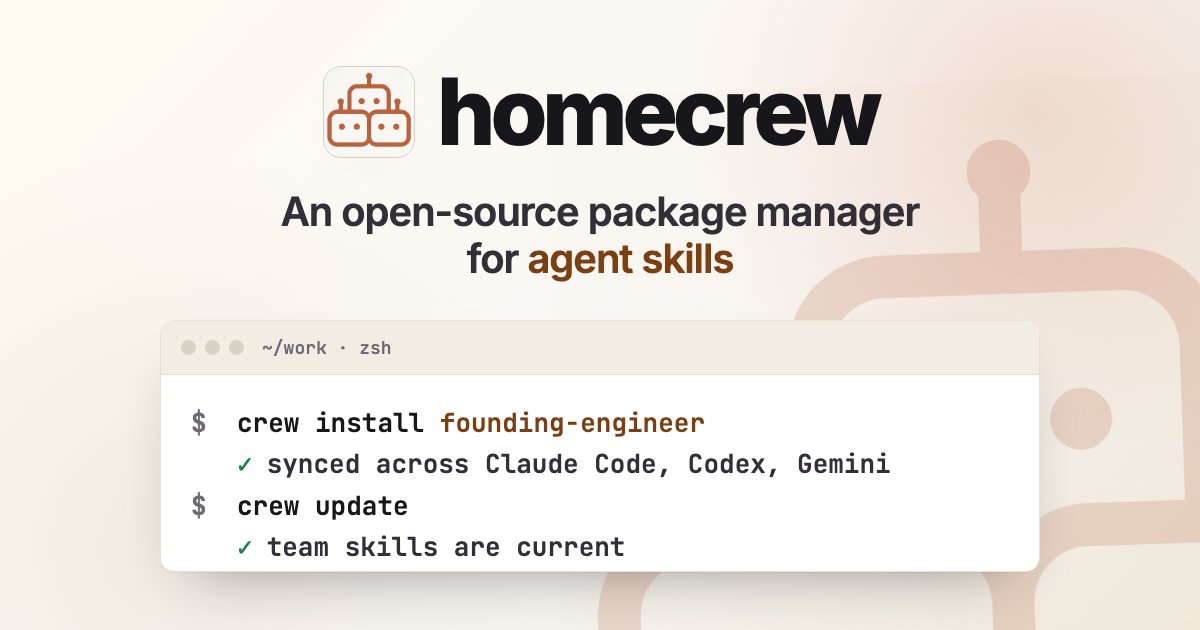
Sharing agent skills has become essential to how our startup builds and operates. It has allowed us to standardize and automate dozens of processes across engineering, marketing, design, etc. in a consistent and reliable way.
We’ve shared a few of our favorites, like founding-engineer, in this repo.
We used to treat internal skills like personal sets of instructions tailored to one person’s way of working, living on one person’s machine. Everyone would have their own skill for filing tickets, architecture design, creating pull-requests, etc. As the skills were dialed in, we found ourselves sharing them in gists and Slack messages.
It was a mess. When someone updated a skill, they also had to remember to update the gist (or share a new one), and then ping everyone to download the new one. We were manually managing a software lifecycle, dependencies and all, for a markdown file.
This is exactly why we built Homecrew.
Homecrew is an open-source package manager for agent skills. It installs a skill and keeps it synced in every coding agent on your machine. And, importantly, it also keeps skills in sync across your team.
As your team starts sharing skills at scale, you’ll find that you want easy distribution, updates, and provenance. You need a way to say, “this is the skill we use for this process, with all of the best practices we’ve converged on as a team together,” without relying on everyone remembering to ping each other and copy files into their different agent directories.
When this friction is removed, you’ll find a lot of individual best practices becoming everyone’s best practices.

Tapping Into Skills
Agent skills are a useful way to make organizational knowledge and processes automated and reusable. By using skills, you can provide a level of detail for the task at hand that would otherwise be excessive or noisy in the top-level AGENTS.md or CLAUDE.md file
Concretely, a skill is just a directory with a SKILL.md file. It is markdown. It can also include references, scripts, examples, checklists, and other things to help the agent when doing the task specified.
A tap in Homecrew is just a git repo, or local directory, filled with skills.
There is no hosted registry to sign up for. No package server to run. No special publishing step. If your team already knows how to use GitHub, it already knows how to use a tap.
crew tap add https://github.com/acme/skills acme
crew search incident
crew install incident-debugging
crew runs your local git command behind the scenes, so it will auth using whatever credentials you already have git configured to use: SSH keys, tokens, GitHub Enterprise, whatever works for git clone.
When someone on your team proposes a better code-review skill, the team reviews it, it lands on main, and the next crew update syncs it onto everyone’s machines and into all of their agents.
Cross-Agent Drift
One area where Homecrew really shines is in helping when you use more than one agent.
If you’re switching between Claude Code and Codex all the time, it’s frustrating when a skill is in one agent but you haven’t copied it over to the other. Or when you have slightly different versions in each place.
If skills are part of how you work, they should not be trapped inside the first agent you happened to be using when you installed them.
Homecrew treats “install into every agent” as the default.
$ crew install code-review
    Installing code-review
        code-review
            Perform thorough code reviews of git changes against a base branch.
            ✓ agent-skills → ~/.agents/skills/code-review
            ✓ codex → ~/.agents/skills/code-review /
            ✓ cursor → ~/.agents/skills/code-review
            ✓ gemini-cli → ~/.agents/skills/code-review
            ✓ claude-code → ~/.claude/skills/code-review
            ✓ factory → ~/. factory/skills/code-review
6 installs
That command resolves the skill, stores a content-addressed copy under ~/.crew/, and copies it into every detected agent’s skill directory. It copies skills in an intelligent way. Agents that recognize the standard ~/.agents/skills/ path get one shared copy, but Homecrew will still report installation success for each discovered agent by name.
If you ever install a new agent later, just run:
$ crew update
Updating installed skills
    code-review
        already current in agent-skills
        already current in codex
        already current in cursor
        already current in gemini-cli
        already current in claude-code
        ✓ factory → ~/. factory/skills/code-review
1 install • 5 unchanged
And Homecrew will get that agent up to date with all of the same installed skills as the other agents.
For solo devs, this feature alone makes using crew worth it. You can keep a local folder or private repo of your personal skills, add it as a tap (yes, local folders are tappable), and every agent on your machine gets the same working set of skills kept in sync.
$ crew tap add ~/code/my-skills personal
$ crew install personal/writing
$ crew install personal/debugging
Team Taps
For teams, the highest value move is installing a whole tap as a unit.
That is, with crew you can install the tap itself, instead of specifying a specific skill within the tap. Homecrew tracks it as a tap-level install. It will immediately install all of the skills within the tap, and (here’s the really powerful part) as the team adds new skills to the tap, those new skills will be pulled in and installed automatically when you run crew update.
If you crew autoupdate enable, this will happen automatically for you every few hours.
$ crew tap add @acme/skills acme
$ crew install acme
$ crew autoupdate enable
Now acme behaves like a channel of skills you are subscribed to. This is a great way to make sure the entire team always has the same base set of skills and in sync. (Note: Homecrew will never uninstall a skill without the user explicitly uninstalling it. If a skill is removed from a tap, Homecrew will not remove it from your machine until you explicitly uninstall it.)
Dependencies
One skill pattern we like is to have skills that reference each other. But that only works if all of the referenced skills are also present.
When crew installs a skill, it will install any dependencies that are in the skill’s frontmatter.
---
name: eng-base
license: MIT
metadata:
    description: Install the standard Acme agent skills for engineering work.
    crew:
        dependencies:

            - code-review

            - incident-debugging

            - pr-description

            - release-notes

---

# Acme team baseline

Use these skills for everyday engineering work at Acme.
This makes it trivial to install large sets of skills that reference each other, and keep all of the dependencies up to date.
$ crew tap add @acme/skills acme
$crew install acme/eng-base
That command will install the eng-base skill, along with all of the transitive dependencies it has.
Intentionally Boring
Homecrew is mostly a file copier.
It does not execute post-install hooks. It does not run arbitrary build steps from a tap. It does not symlink your agent directories into a hidden shared place. It copies files, records what it copied, and never touches or overwrites things it did not create.
If you edit the installed copy by hand, Homecrew detects that and stops rather than clobbering your work.
Getting Started
It’s easy to get started, and we have great documentation on our homepage:
curl -fsSL https://crew.logic.inc/install.sh | sh

# Examples commands to try
crew search code-review
crew install founding-engineer
crew update
If you don’t already have a good set of skills to start with, we have some well-known taps in a searchable catalog for you (also searchable locally with crew search). We’re fans of the Compound Engineering skills if you want a place to start.
Skills have become a shared layer of infrastructure for how we work at Logic. Homecrew gives that layer the lifecycle rigor we expect from the rest of our tooling. Give it a spin, check out the source on GitHub, and let us know what you think!
Homecrew: An Open-Source Package Manager For Agent Skills